
Features
Every part of the day, on one record.
Every image below is the real product showing a fictional demo shop. Nothing is a mockup.
01Agenda
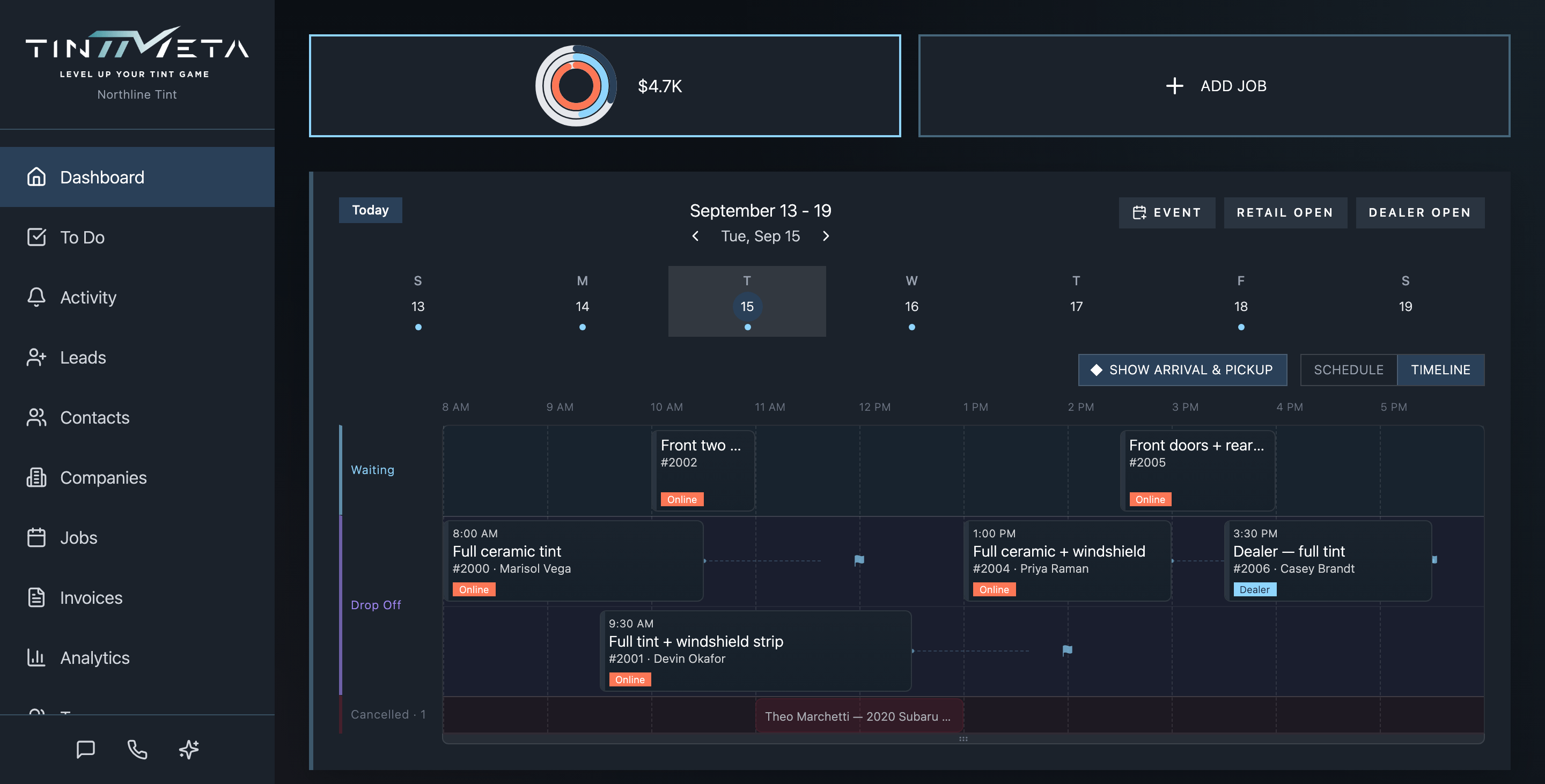
A timeline you can move things on.
Every job for the day sits on one horizontal timeline. Drag a card to reschedule it, pull an edge to change the duration, and keep drop-offs and waiting customers in separate lanes so the bay never double-books itself.
- Drag to reschedule, resize to change duration
- Drop-off and waiting lanes, plus a cancelled lane that stays out of the way
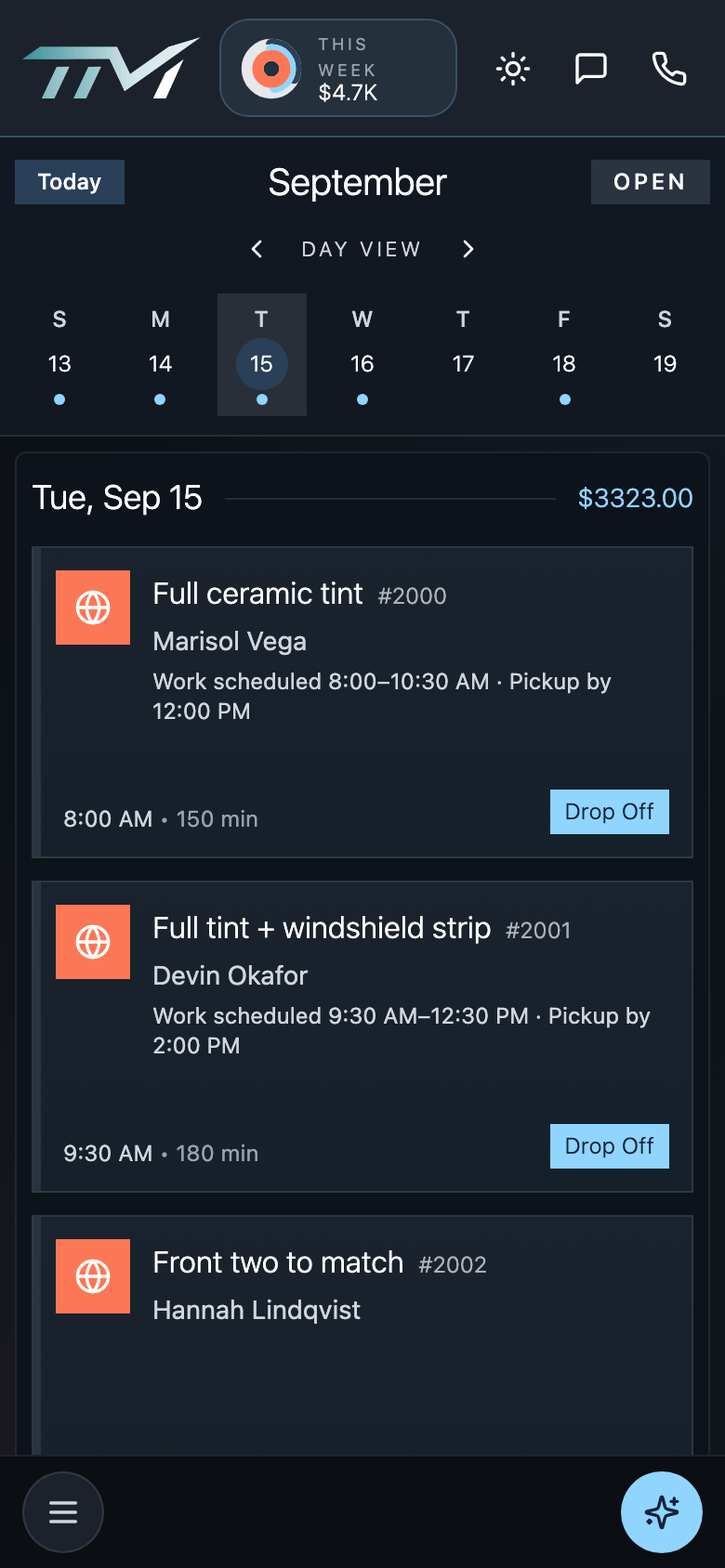
- The same agenda on the phone, built for a thumb
02Online booking
Customers book themselves. Deposits included.
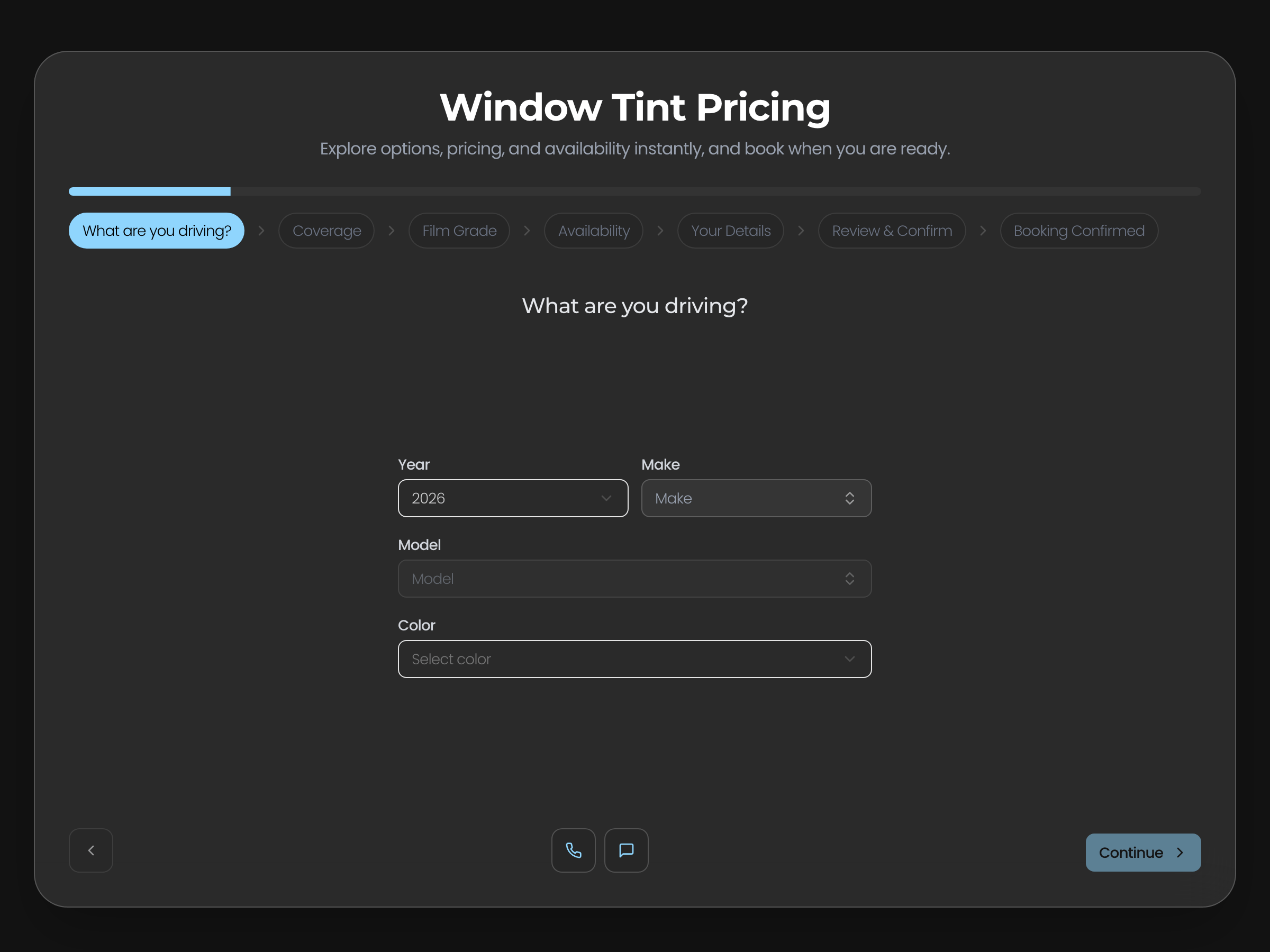
A booking flow that lives on your own site as an embeddable widget or as a hosted page. Customers pick the vehicle, the service and a time, see a stepped quote, and put down a deposit through Square before the slot is theirs.
- Embeddable widget or hosted booking page
- Stepped quote card as they build the job
- Square deposits before the slot is held
03Messages & calls
Every text and call, on the customer record.
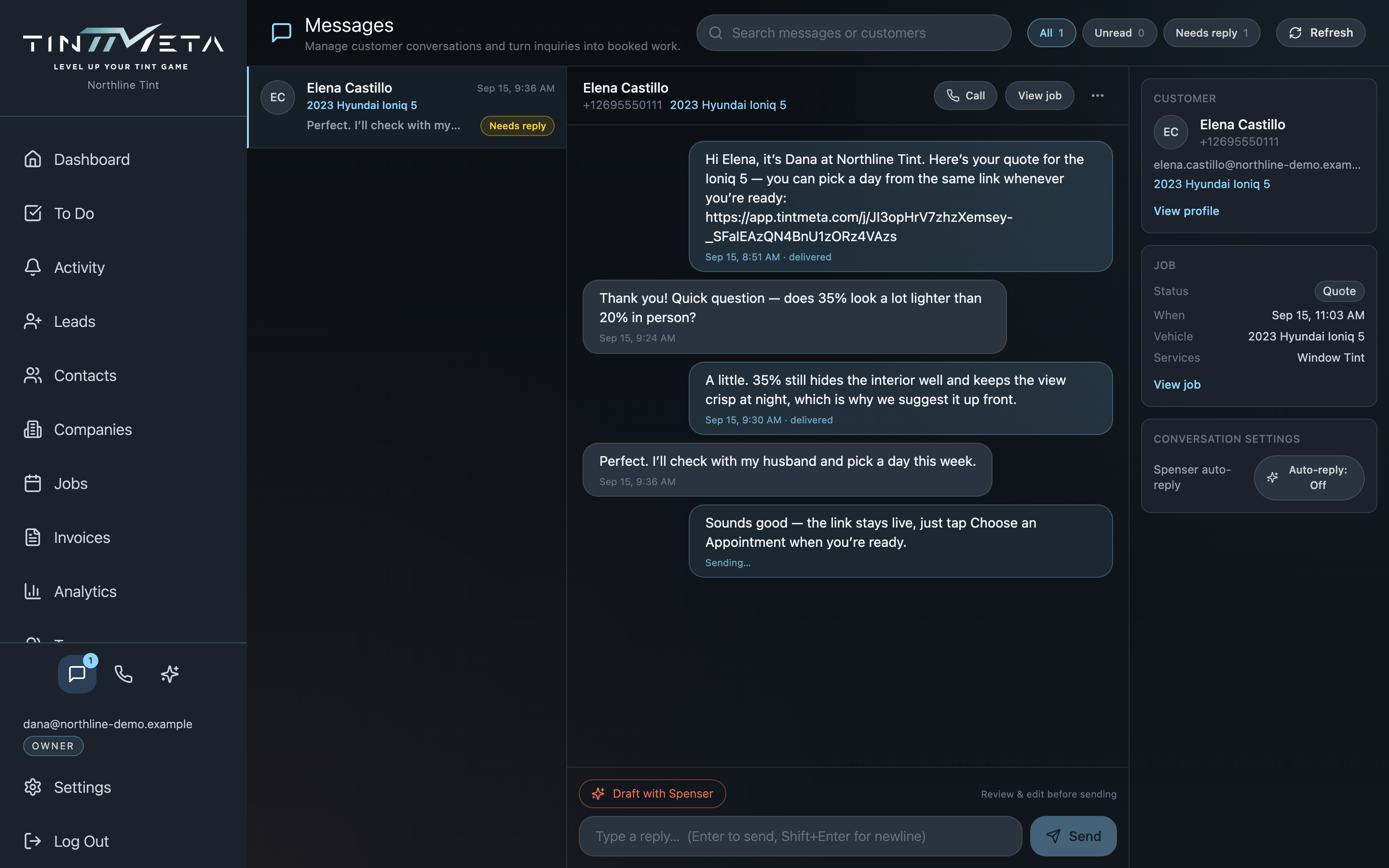
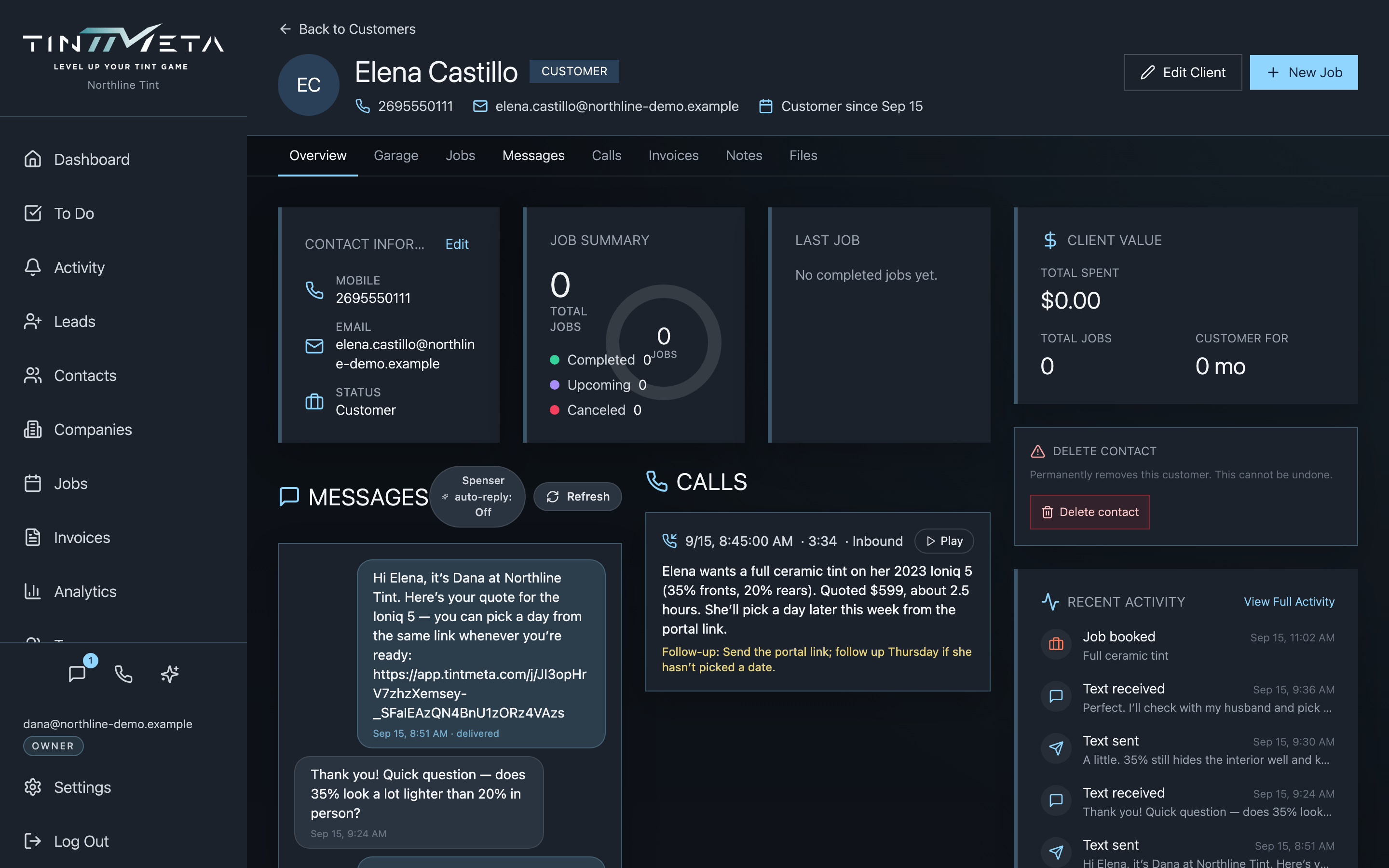
Two-way SMS from the shop number, calls through a softphone in the app, and missed calls with voicemail captured automatically. Nothing lives in someone’s personal phone — it all lands on the customer and the job it belongs to.
- Two-way texting from the shop number
- Softphone calls without leaving the app
- Missed-call and voicemail capture, attached to the customer and job
04Transcripts & Spenser
Calls become transcripts. Spenser reads them so you don’t have to.
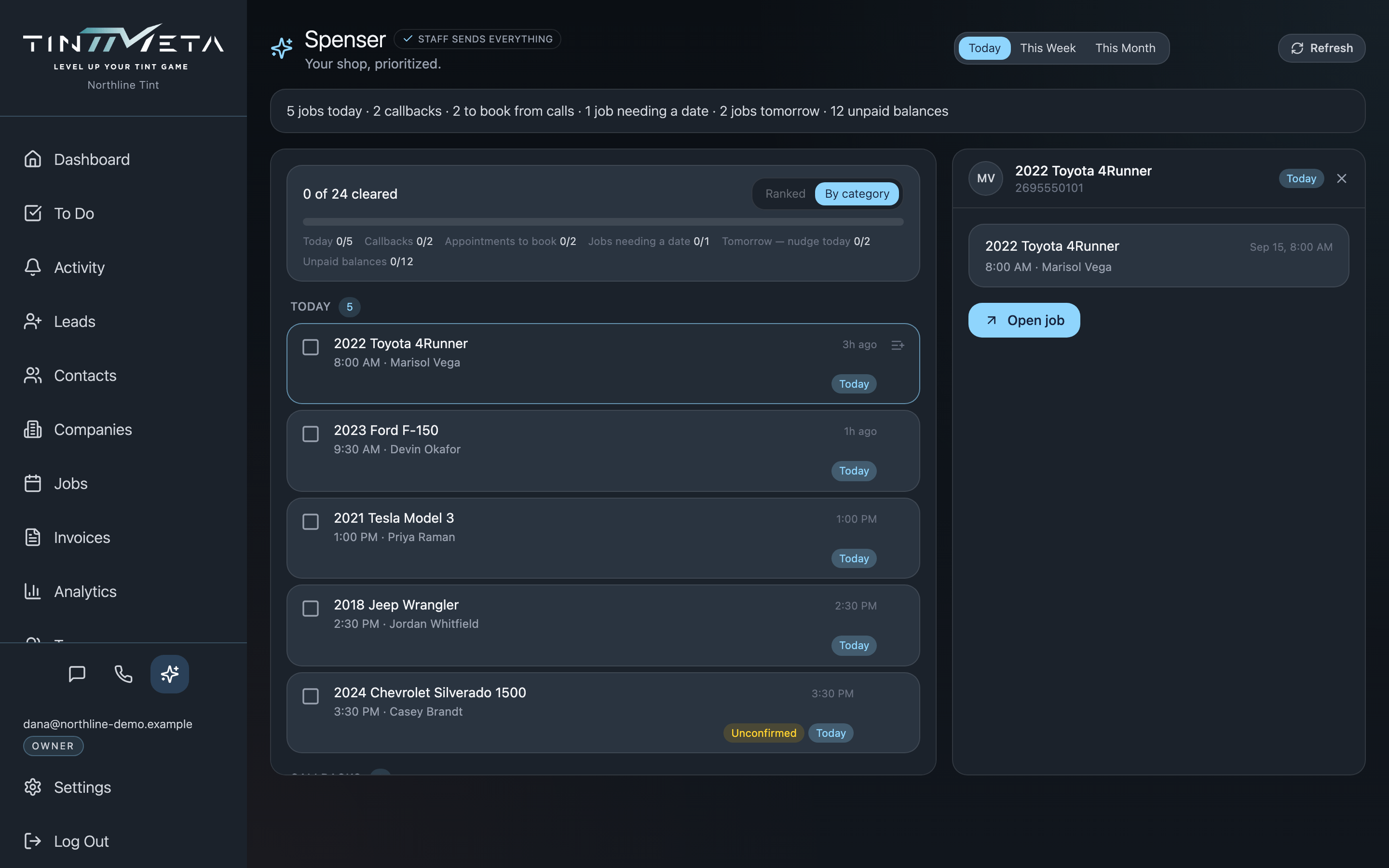
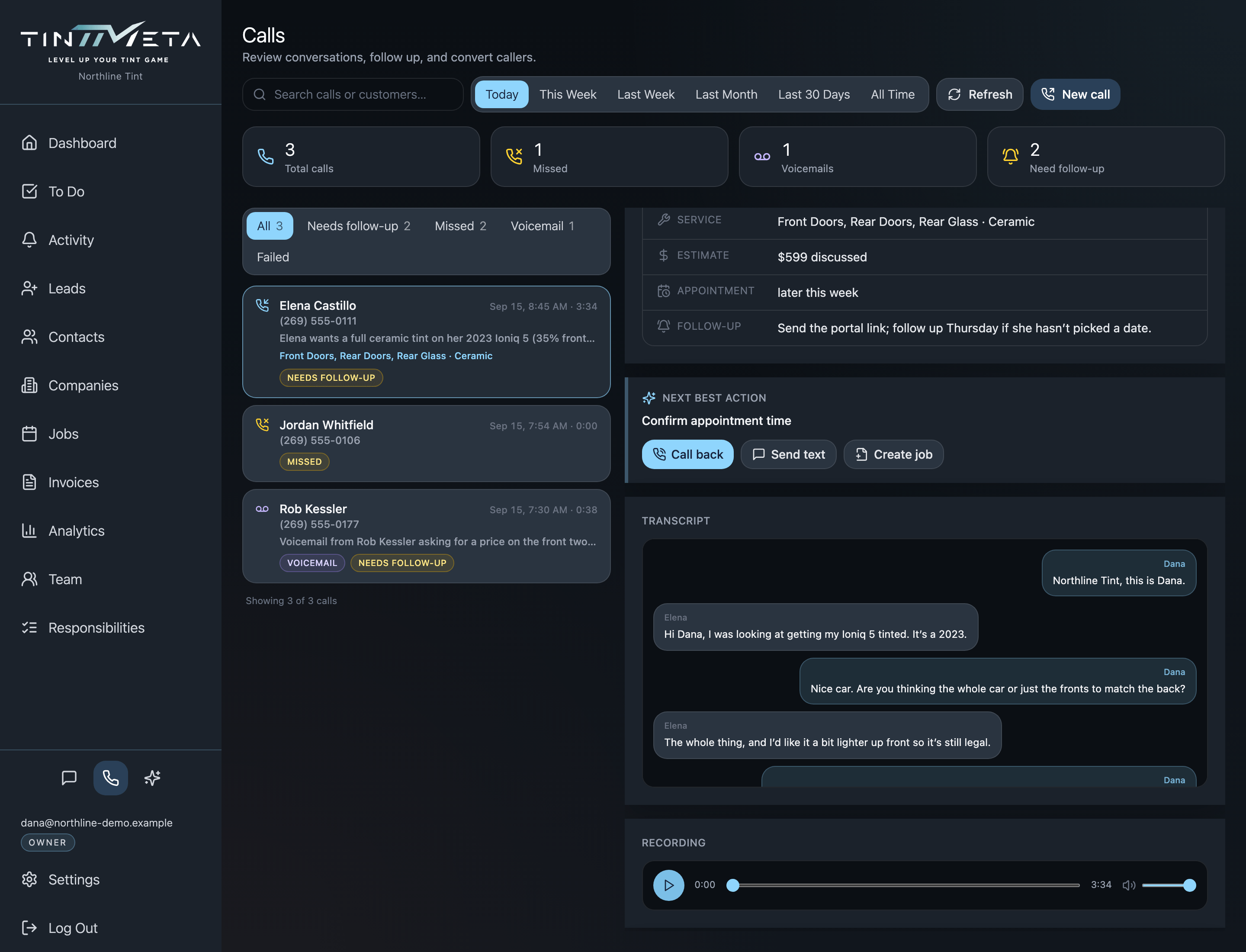
Recorded calls are transcribed and summarised on the call record. Spenser, the assistant inside TintMeta, builds a plan for your day from what’s unscheduled, unanswered and unpaid, and drafts replies for you to review. It shows its work; it never sends anything on its own.
- Transcript and summary on every recorded call
- A day plan ranked by what needs you first
- Draft replies you approve before anything goes out
05Customer portal
One link the customer keeps for the whole job.
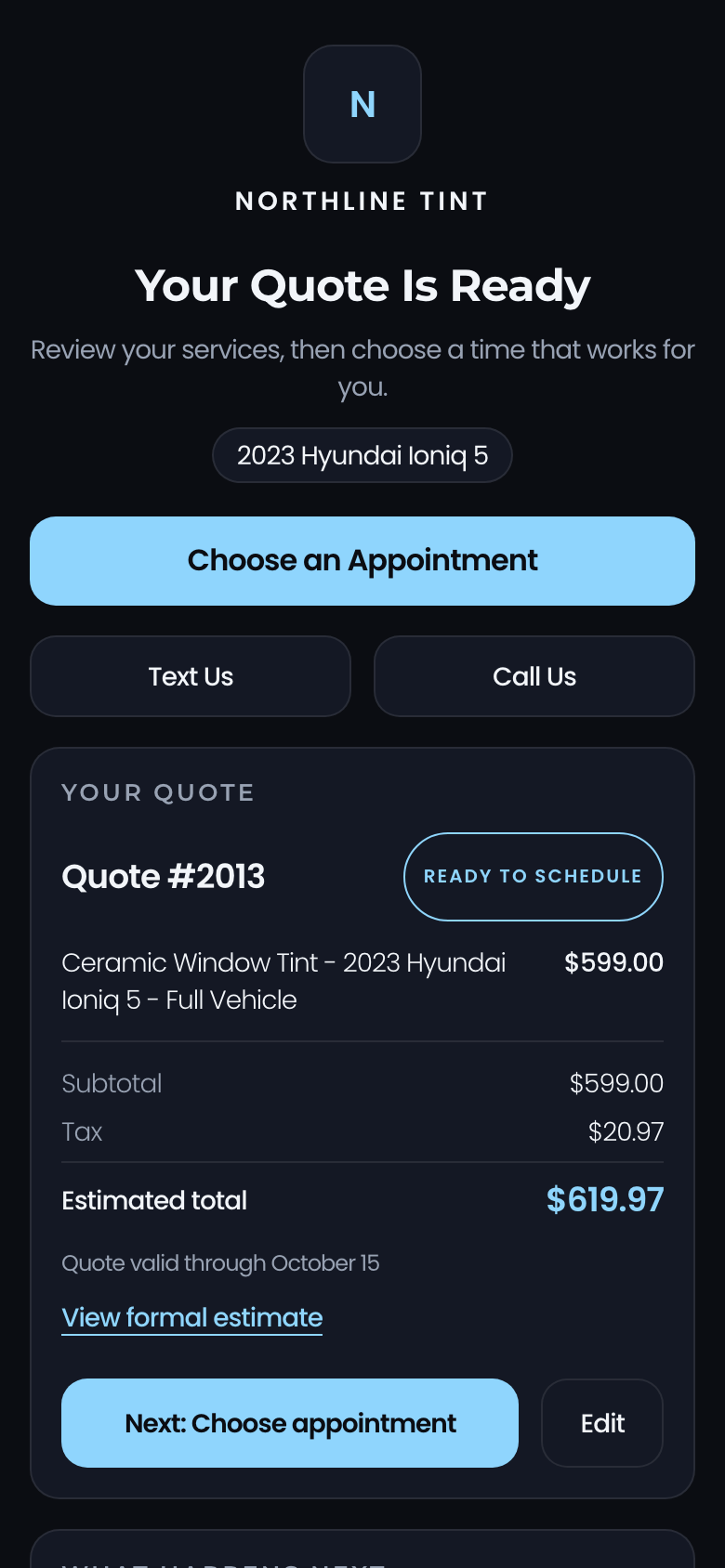
Every job gets a link. It shows the quote, then the appointment, then progress, then the invoice — and the preview card in the customer’s text thread updates with each stage. They can approve the quote, and pay the balance, without an account.
- Stage-aware link previews right in the text thread
- Quote explorer with the options laid out
- Pay Balance from the same link

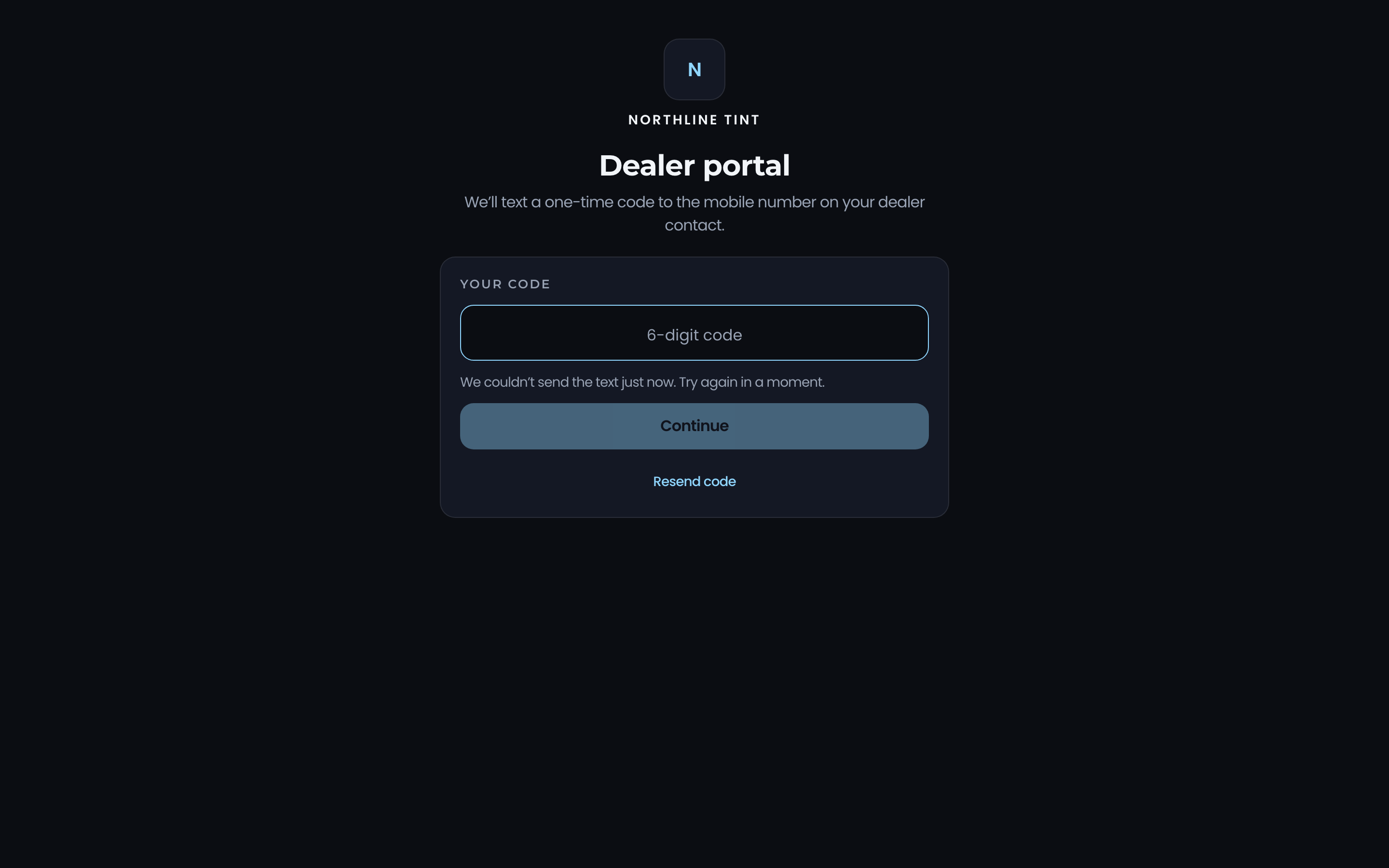
06Dealer portal
Dealers book at dealer pricing.
Dealership accounts get their own portal to book vehicles at the prices you set for them. The bookings land on your agenda like any other job, tagged to the dealer.
- Dealer bookings straight onto the agenda
- Per-dealer pricing
07Invoices & payments
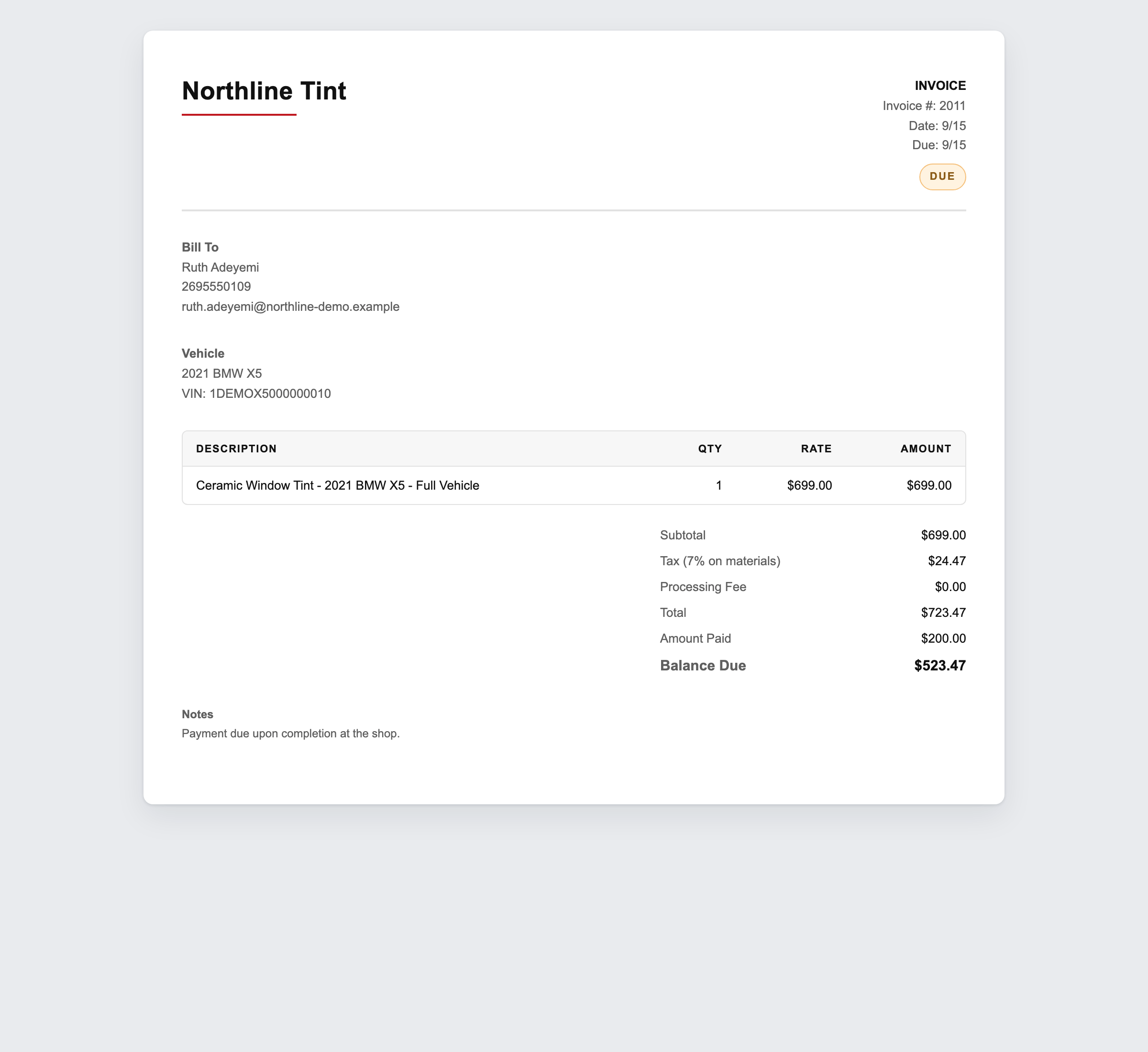
Invoices that match the job, balances that reconcile.
The invoice is generated from the job, sent as a link, and tracks deposits and partial payments through Square. When something is never going to be paid, write it off cleanly instead of letting it linger.
- Invoice document generated from the job
- Square deposits and balance payments recorded against it
- Reversible write-offs
Be a founding shop.
We're onboarding a small first cohort personally. Leave your email and we'll reach out when your spot opens.